A secure, web-based portal designed for healthcare professionals like audiologists, ENT surgeons, and clinical staff.
CATEGORY
Platform UI Design
SKILLS
UI/UX Design, Project Management, Research
TOOLS
Pen & Papers, Adobe Illustrator, Photoshop, Active Collab
Due to professional restrictions and / or the collaborative nature of these projects, specific research artifacts (e.g., user flows and interviews, heatmaps, internal documentation) cannot be shared; illustrative artifacts will be used instead. This case study focuses on design rationale, visual direction, and my role in the creative process.
1. Project Start
Between January 2013 and August 2015, I worked on the redesign and consolidation of the myMED-EL for Professionals portal ~ a secure platform designed for audiologists, surgeons, and clinical partners supporting cochlear implant users. My role as the lead designer (CX / UI and UX were emerging terms at the time) involved rethinking how healthcare professionals accessed training, downloaded critical software like MAESTRO, and navigated MED-EL’s vast resource ecosystem. There was no previous system and we had fragmented touchpoints, slow onboarding, and a plethora of support requests.
The challenge was not just to create a modern interface, but to improve the overall experience across languages, user types, and regulatory landscapes ~ including EU MDR compliance, HIPAA standards, and WCAG 2.1 accessibility. I collaborated closely with clinical trainers, regulatory stakeholders, and the internal digital team in Innsbruck, contributing to a design solution that balanced usability with security and operational scalability.
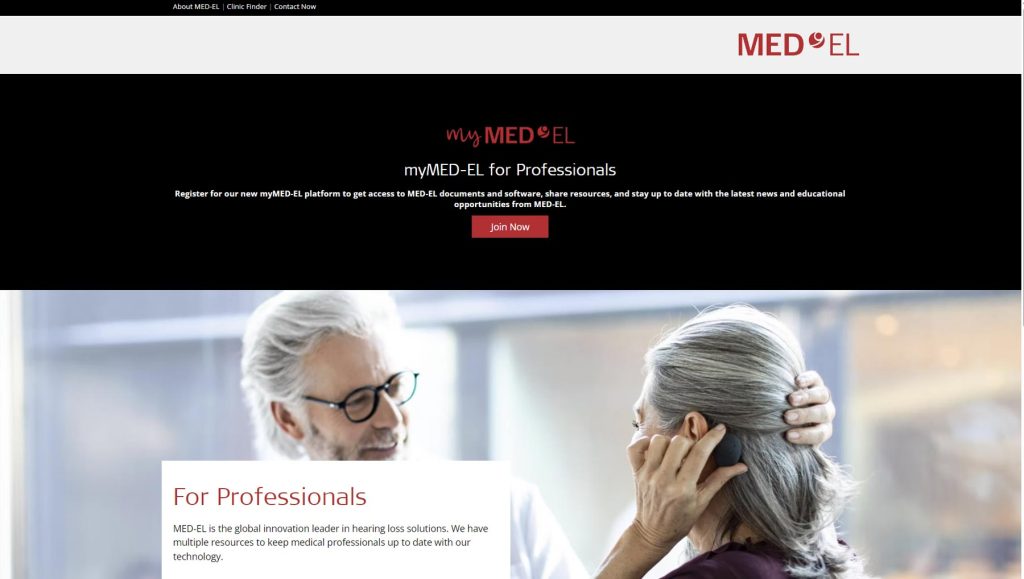
myMED-EL for professionals home page
2. Research
The research phase was a mix of stakeholder interviews, content audits, and usage data analysis. I spoke directly with audiologists, clinical trainers, and internal support staff to understand their workflows and daily pain points. One recurring theme was the friction in finding and downloading fitting software ~ often buried under inconsistent menus or outdated links. A content audit revealed over 500 documents scattered across siloed pages, while analytics showed a 63% bounce rate on key downloads.
We also ran a simple card-sorting exercise to reorganize resources in a way that aligned with how professionals thought, not just how the business categorized them. I mapped out key user journeys for different roles ~ from the solo audiologist in a private clinic to large institutions with shared logins ~ and identified early on the need for role-based access, localization, and streamlined onboarding. This foundational research became the backbone for how we structured the experience moving forward.


Competitor dashboard references
3. Ideation
With a clearer understanding of our users, the focus shifted to mapping out how each role ~ audiologists, clinic admins, and MED-EL trainers ~ would move through the system. I created light personas and corresponding user journeys to align interface priorities with real-world tasks. We mapped the service blueprint to identify not only front-end flows but also how backstage systems (Salesforce, SFTP, regulatory content, and training systems) connected to the user experience. This alignment ensured every visible interaction had solid infrastructure behind it.
I began with low-fidelity wireflows to test hierarchy and logic, eventually building out mid-fidelity screens in Adobe’s Project Comet (later known Adobe Xd) for structured stakeholder feedback. Weekly check-ins with the Innsbruck HQ helped refine flows and expectations. One key shift during this phase was simplifying onboarding into a 3-step wizard ~ drastically reducing setup friction and increasing the sense of momentum from the first login.
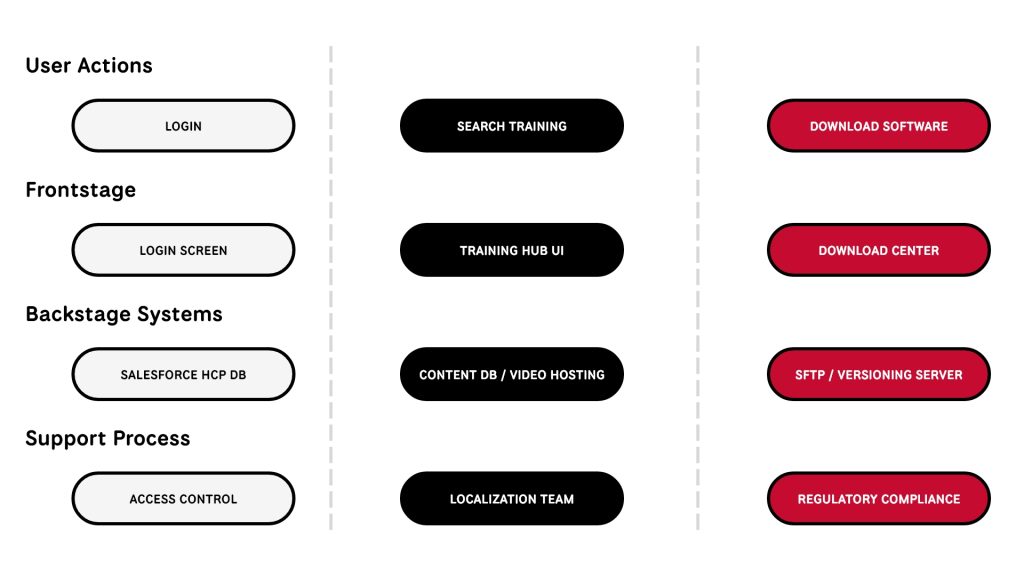
Service Blueprint Visual // user → system → regulation
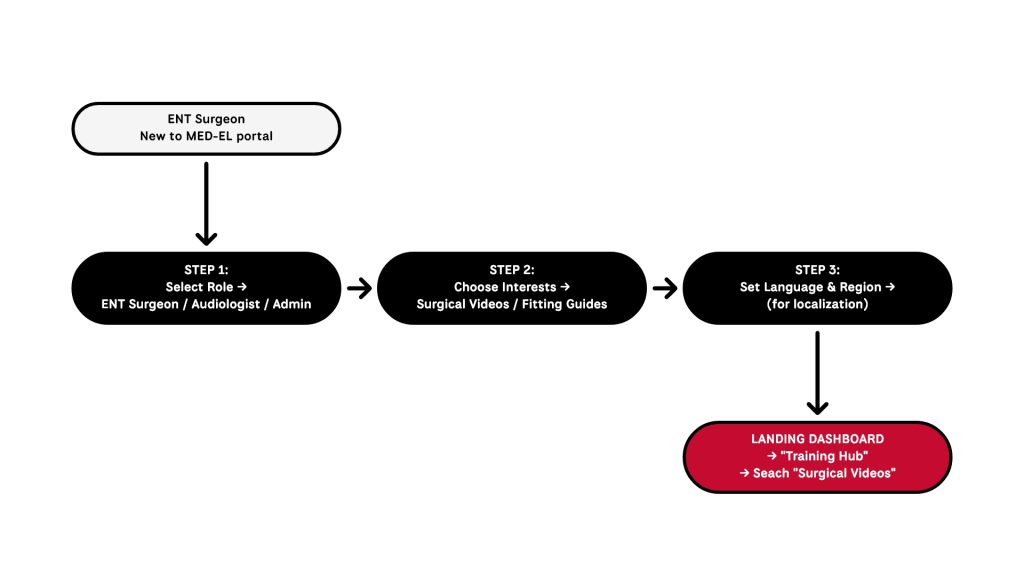
Onboarding Wizard Flow
4. Concepts
As the foundational flows came together, I began refining the interface concepts with a focus on clarity, hierarchy, and ease of use.
- Modular Onboarding Wizard:
Introduced a streamlined, role-based onboarding flow to collect user context (e.g., profession, implant focus, language preference) ~ reducing friction and enabling personalized dashboard content from the first login. - Card-Based Dashboard Layout:
Designed a lightweight interface with core actions (Software Downloads, Training Hub, Resource Library) surfaced as interactive cards. Emphasis was placed on clarity, hierarchy, and adaptability across devices. - Exploratory UI Prototypes:
Tested more dynamic ideas like a draggable “resource shelf,” but deprioritized them due to performance concerns and the need for reliability in clinical environments. - Persistent Sidebar Navigation:
Final direction included a fixed, minimal sidebar allowing users to quickly jump between modules without losing orientation ~ ensuring role-specific workflows remained intuitive and efficient.


mid-fidelity mockups
UX Thinking in Action
Every design choice was a response to real user context ~ not just what doctors see, but how they think and work.
5. IMPLEMENTATION & DELIVERY
After final approvals, I worked closely with developers and QA to bring the designs to life with full responsiveness, accessibility, and multi-language support.
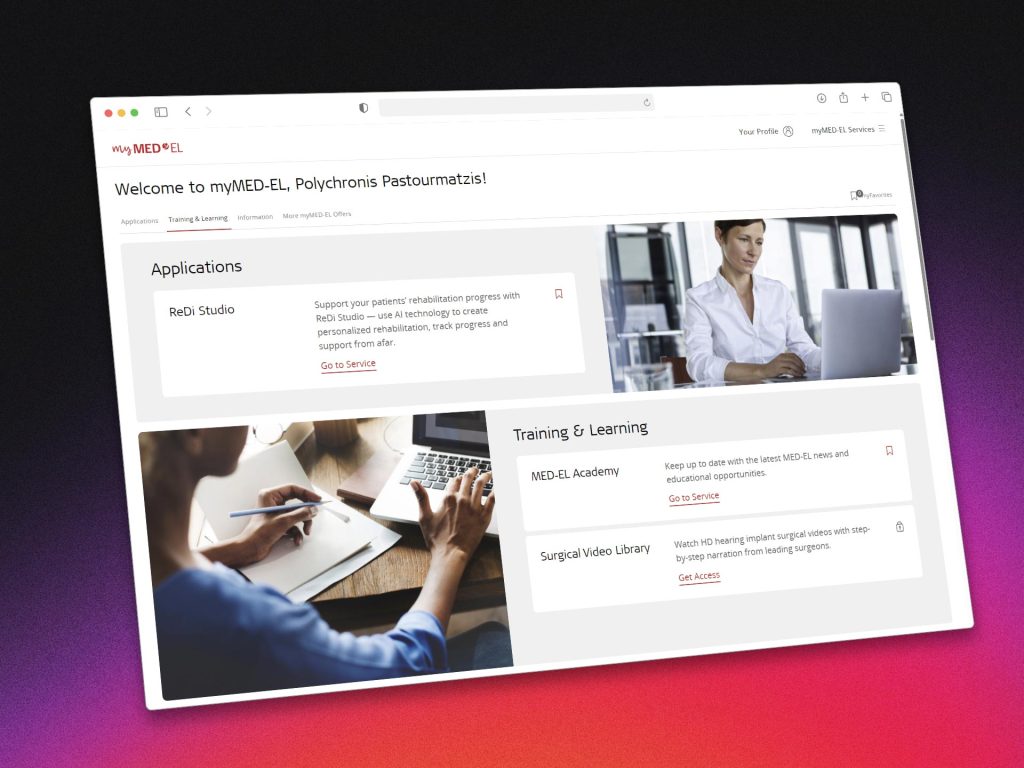
The modular onboarding wizard was implemented first, feeding user preferences directly into personalized dashboard states. Core modules ~ including the Download Center and Training Hub ~ were rolled out in stages, with built-in analytics hooks to track engagement and friction points from day one.
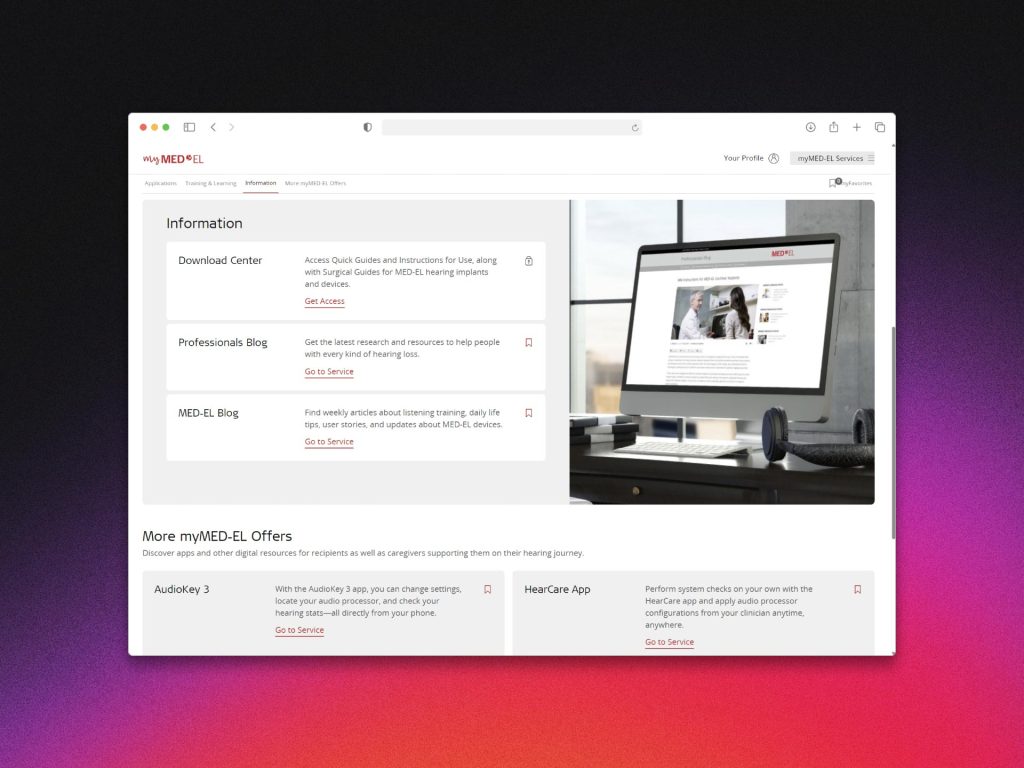
Each dashboard card was designed to scale independently, making it easier to evolve the platform over time without major redesigns.
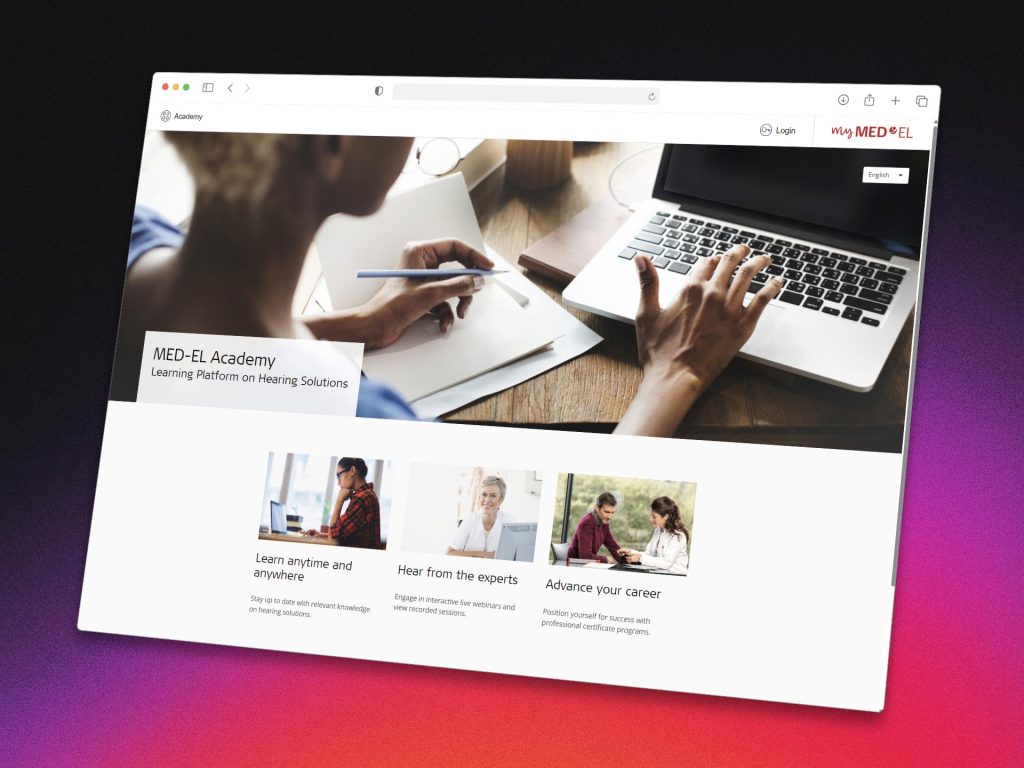
We ensured regulatory compliance by collaborating with legal and clinical documentation teams, particularly for GDPR, EU MDR, and HIPAA considerations.
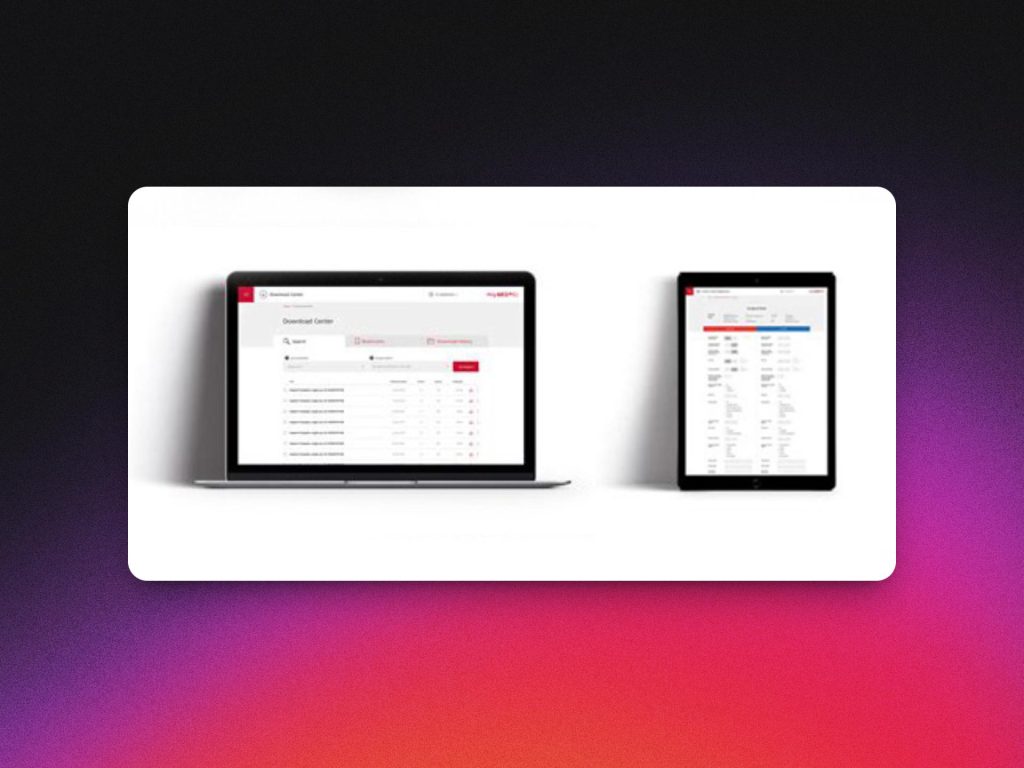
The platform launched initially in English and German, followed by 9 additional language variants. Internal feedback from clinical trainers was overwhelmingly positive, especially regarding the reduced complexity in guiding new partners through setup.
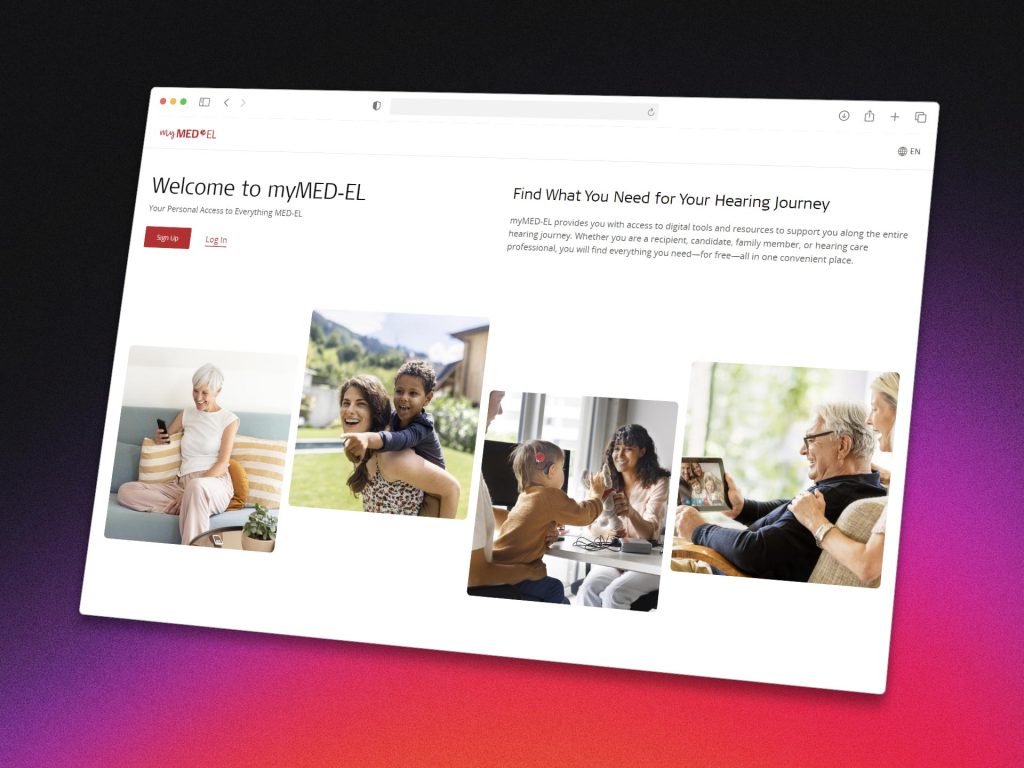
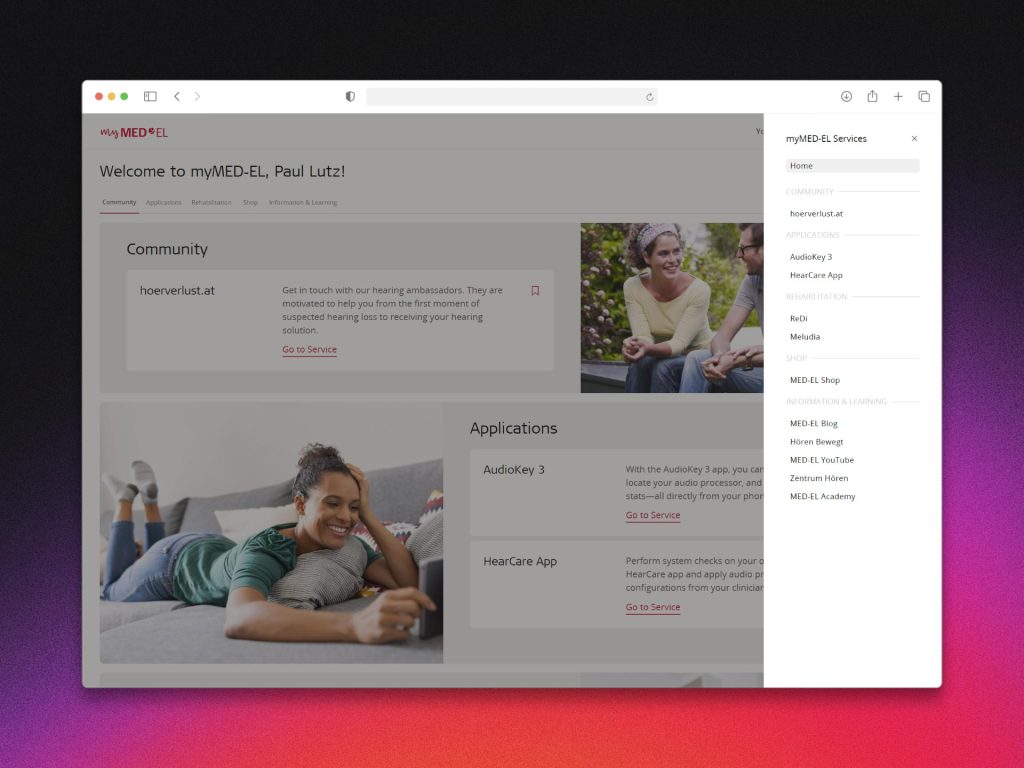
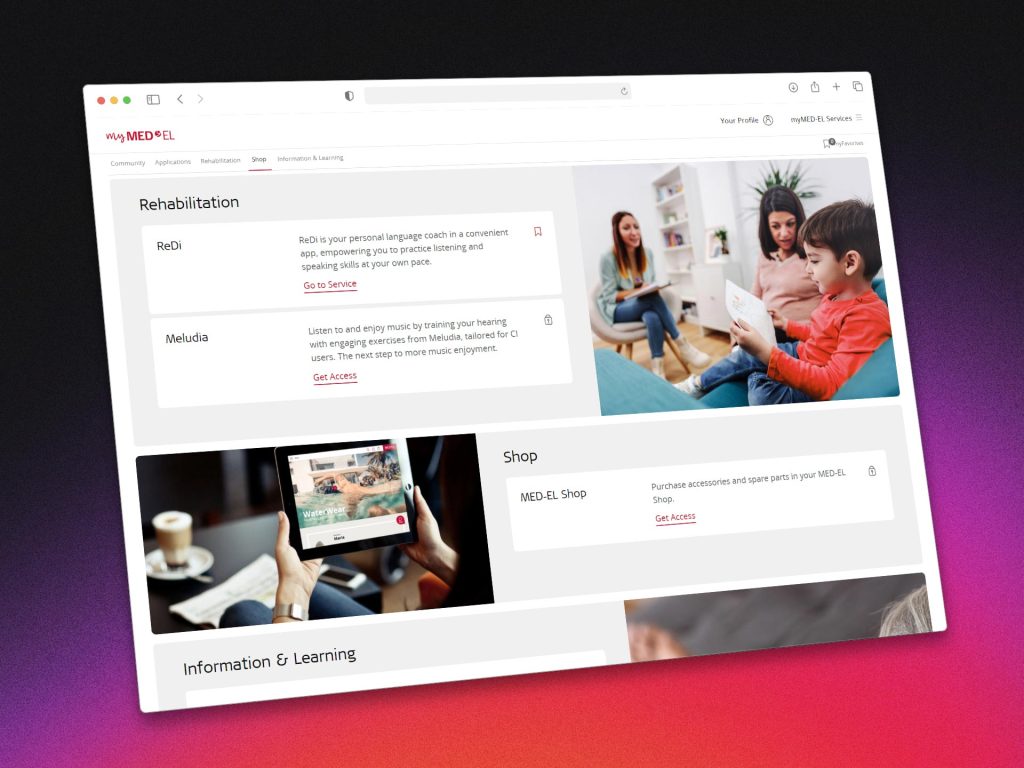
In the weeks following rollout, support tickets related to “missing resources” dropped sharply ~ a strong early signal that the experience was now aligned with real-world user needs.
6. Retrospective
This project was a rare opportunity to design for a highly specialized user group ~ professionals operating in high-stakes, time-sensitive environments. It pushed me to think beyond traditional UX flows and consider the mental load, regulatory context, and operational reality of medical professionals across regions and languages. One of the biggest lessons was how much clarity and structure matter when your users are busy clinicians ~ what feels like “just one extra click” in a design review is a legitimate obstacle when someone is trying to prep for surgery.
Collaborating across departments ~ from clinical trainers and regulatory to dev and localization ~ taught me the value of early alignment, especially when it comes to legal copy and multilingual UI content. The most rewarding outcome wasn’t just the functional improvements or cleaner layout, but hearing internal feedback that onboarding new clinics had become “noticeably easier.”
If I were to revisit this project, I’d love to go deeper into personalization based on implant types, and explore lightweight ways to visualize patient progress as part of the HCP experience.