PRODUCT DESIGN · PWA · MUSIC STREAMING · 2026
Problem: A six-year-old radio app had left the stores, but the stream, the catalogue and the audience signals were still there.
What I did: Separated the product from its native implementation: designed a web-first player on top of the existing stream and shipped it as an installable PWA, with AI-assisted development.
Outcome: Live in production: responsive player, live metadata, lock-screen controls and PWA install.
SURFACE
Web · PWA
Live audio
ROLE
Product & Design Owner
Founder
SCOPE
Product strategy · UX/UI
Interaction · PWA delivery
AI-assisted development
The radio did not need another app first. It needed a better listening experience.
THE CONTEXT
Pueblo Vista Radio first shipped on iOS in April 2020 and later expanded to Android. It was a deliberately focused product: open it, press play, and stay inside the Pueblo Vista catalogue. By the time the store listings disappeared in late 2024, the product had reached more than 30,000 recorded customers across its lifetime.
The old app had real traction behind it. Archived Android data records 14,960 downloads and a 4.64/5 rating from 179 ratings; the iOS product accumulated 608 ratings and supported a real paid subscription. Those signals were enough to make the question worth revisiting: was there still a product here?
The interesting part was that the radio itself had never really disappeared. The catalogue, AzuraCast infrastructure and live stream were still there. What had aged was the product layer around them.
PRODUCT DIRECTION
Reframe before rebuilding
Question whether native apps were still the right starting point instead of treating the old implementation as the product.
Let the music shape the interface
Keep the player quiet and let artwork, typography and atmosphere carry the identity.
Build one useful surface first
Ship a responsive web product that can also behave like an installed app before committing to another native rebuild.
Use AI as implementation leverage
Keep product direction and design decisions human-led while using AI-assisted development to move from Figma to a working WordPress plugin and PWA quickly.
PRODUCT DECISION 1/3
Separate the product from its original implementation
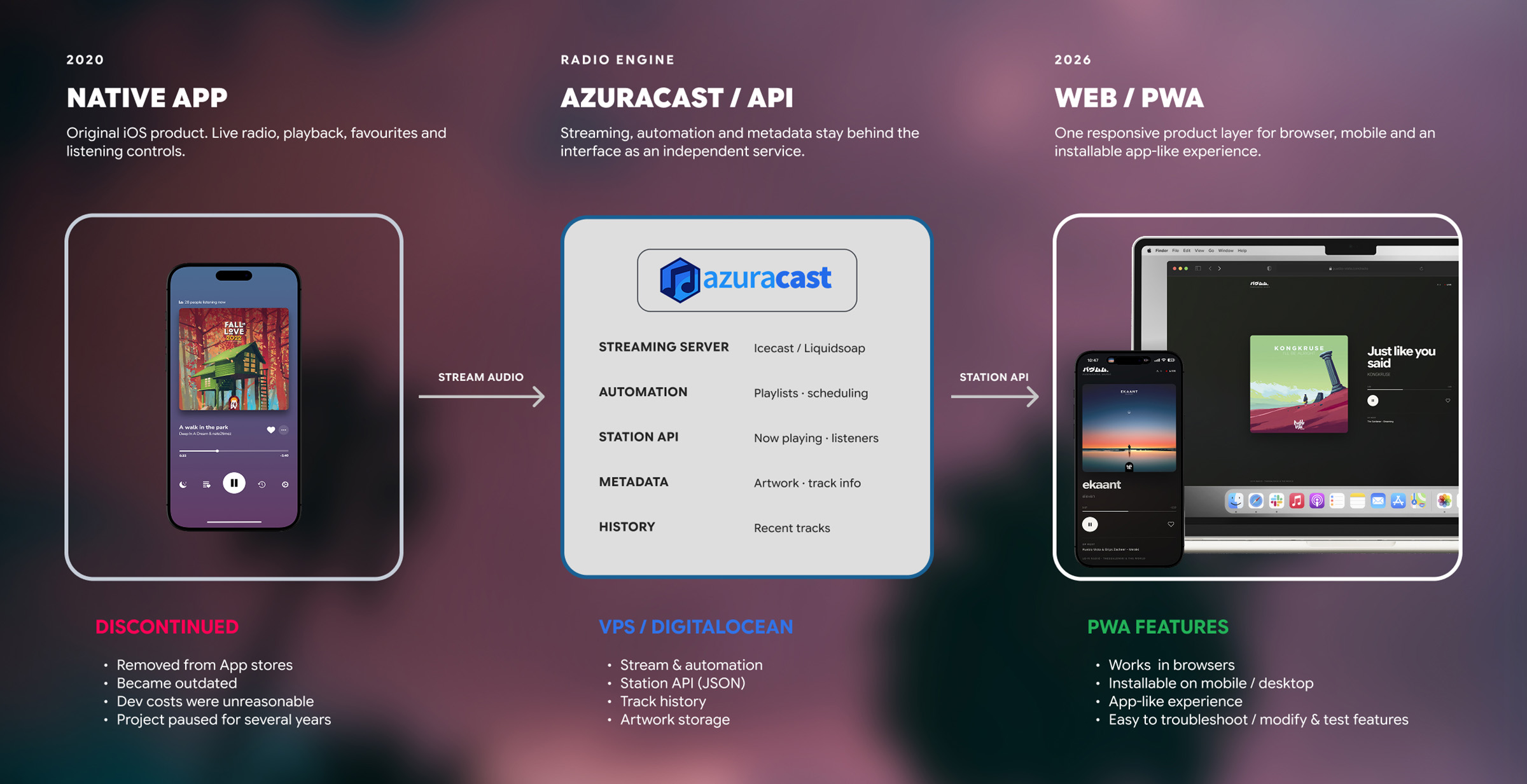
The obvious route was to revive the native app. The more useful question was whether native was still necessary to prove the product. The stream already existed independently of iOS or Android, and AzuraCast already exposed the live audio and metadata needed to build a new listener experience.
That changed the architecture. Instead of beginning with another App Store release cycle, I treated AzuraCast as the radio engine and designed a separate product layer on top of its API and stream. The first release could live on the web, work across desktop and mobile, and install as a Progressive Web App.
PRODUCT DECISION 2/3
Let the music become part of the interface
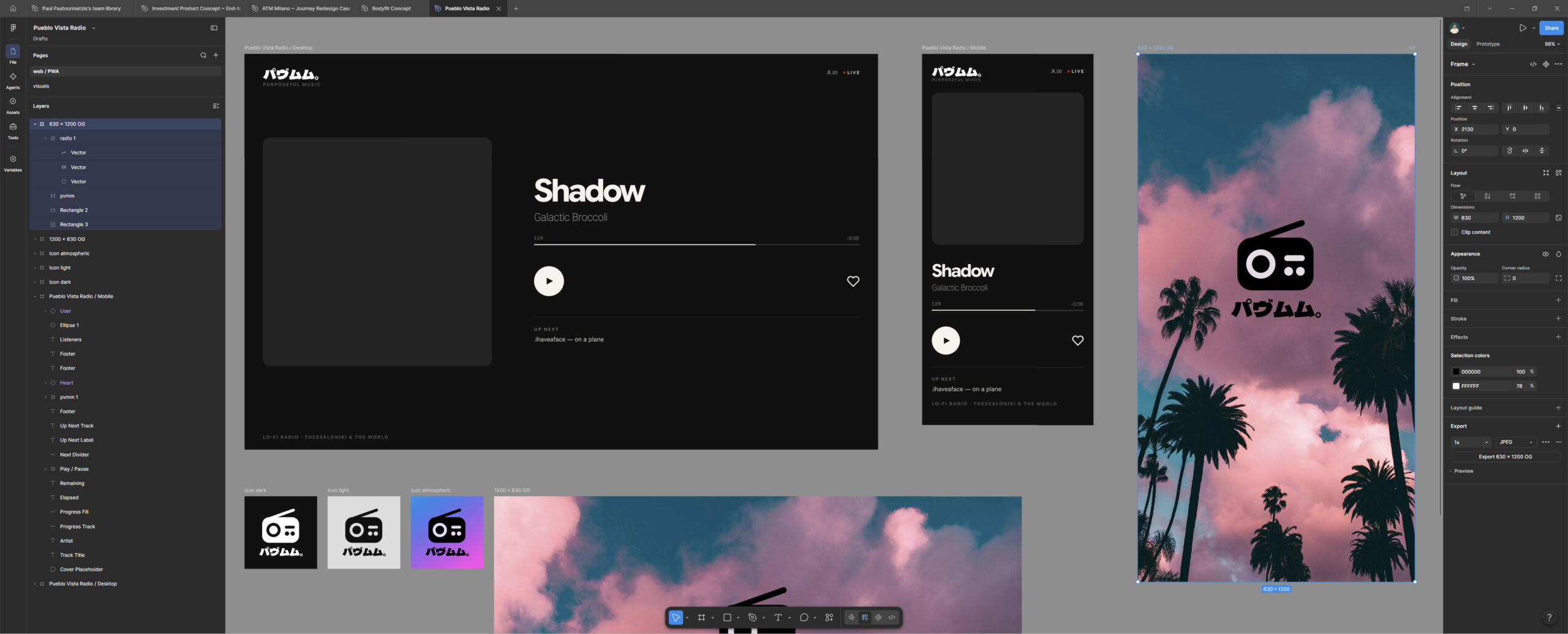
I did not want the new player to feel like a dashboard wrapped around an audio element. The music already arrived with its own visual material, so the artwork became part of the interface itself: a large primary image, a blurred atmospheric background derived from it, strong typography and very little chrome.
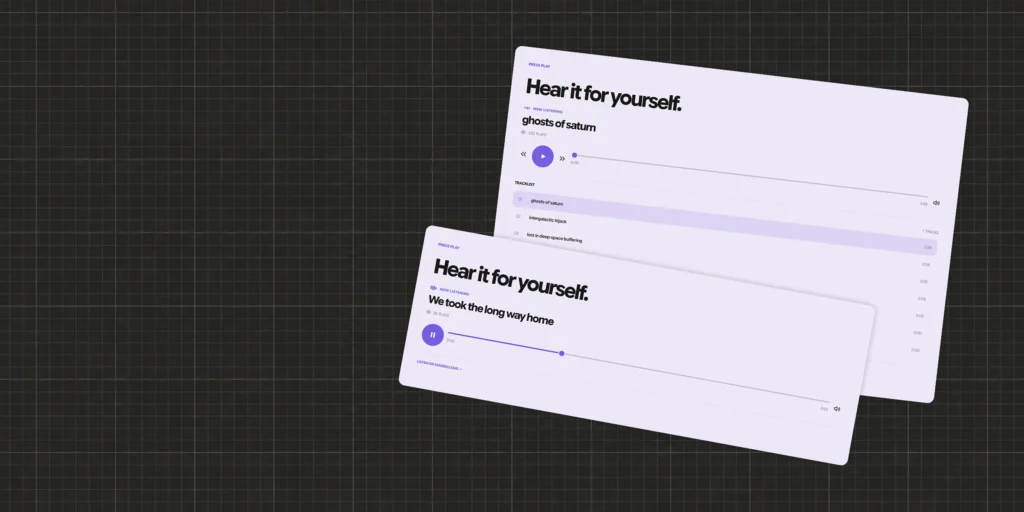
The interaction model stayed deliberately small: live status, title and artist, elapsed and remaining time, listeners, play/pause, favourites and Up Next. Small behaviours carry the character. When playback pauses, the artwork retracts rather than disappearing; when a track approaches its end, the player increases metadata polling so the artwork, title and progress transition together as soon as the stream confirms the next song.
The result is a fixed product shell that changes mood with every track. Instead of decorating the player, the catalogue continuously art-directs it.


PRODUCT DECISION 3/3
Make the web product behave like an app
The player ships as a standalone WordPress plugin, but WordPress is only the deployment mechanism. The listening interface is custom HTML, CSS and JavaScript, independent of the site’s theme and page builder, while AzuraCast remains responsible for broadcasting and live metadata.
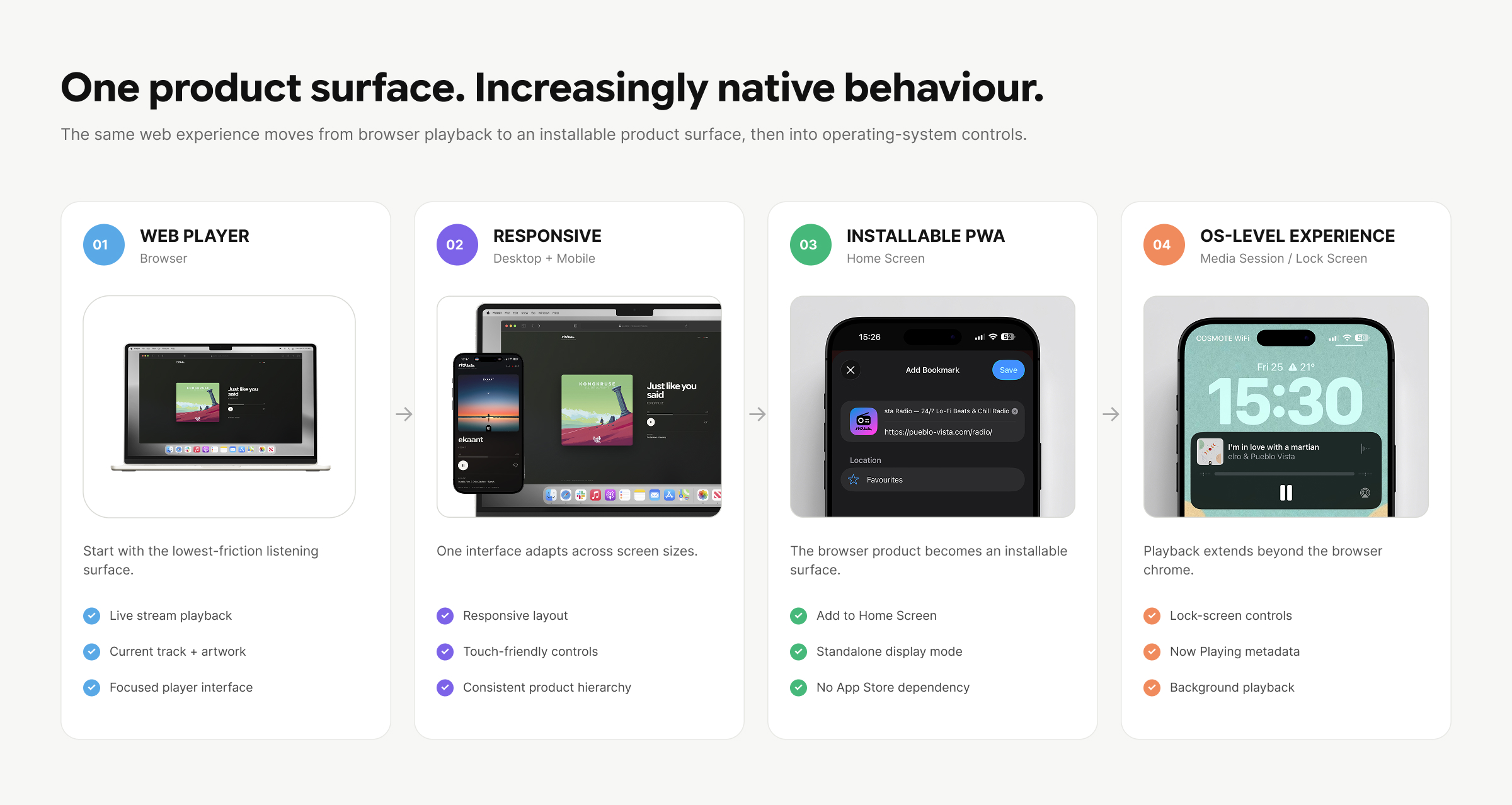
From the start, I treated the web version as a product surface rather than a temporary prototype. It is responsive across desktop and mobile, installable as a PWA, exposes playback through the Media Session API, supports live metadata and artwork updates, and includes loading, playback and transition states designed around the realities of a continuous stream.
AI-assisted development was part of the delivery workflow. I owned the product framing, visual direction, interaction decisions and testing; AI helped translate those decisions into the plugin, PWA behaviour and API integration. That shortened the distance between a Figma decision and something I could test against a real broadcast.
OUTCOME · LIVE
LIVE PRODUCT
Responsive web player running against the existing live broadcast
OS INTEGRATION
Media Session · Lock-screen controls · Background playback
ONE CODEBASE
Responsive web player + installable PWA on the existing live stream
WHAT SHIPPED
The first production release is already live: a responsive player connected to the existing Pueblo Vista stream, with live metadata, artwork-driven UI, listener count, progress and remaining time, Up Next, local favourites, smarter track transitions, PWA installation, Media Session support and dedicated SEO/social metadata.
This web launch is not the end state. It is the lowest-friction way to put the product back in front of listeners and learn whether the signals that made the original app interesting still exist. If they do, the path back to native iOS becomes a product decision supported by evidence rather than nostalgia.
WHAT’S NEXT
The roadmap stays intentionally close to listening: Sleep / Focus timer, richer favourites, track discovery across streaming platforms, listening analytics and a lightweight way for listeners to support the station. Native iOS can follow once the web release gives us enough evidence to justify rebuilding it.
A support or donation layer is particularly interesting here. The original app proved that some listeners were willing to pay a small amount to support an independent, ad-free radio product. The web version gives us a simpler place to test that relationship again without putting access to the music behind a paywall.
REFLECTION
Coming back to Pueblo Vista Radio six years after its first iOS release changed the question from “how do I rebuild this app?” to “what is this product actually for?” The useful parts had survived: the catalogue, the stream, the audience signals and the simplicity of pressing play. The implementation had not.
The strongest decision was not a visual one. It was separating the value of the product from the technology that originally delivered it. That made it possible to move from an ageing native app to a live, installable web product without rebuilding the entire system first.
The goal was not to recreate the old Pueblo Vista Radio app. It was to understand which parts were still worth keeping ~ and build the smallest version of the future around them.