THE LAB / 002 · DESIGN SYSTEM AUDIT AGENT
An AI agent that audits a component library, and never changes anything without asking.
In my last role I audited our component library by hand. Two kinds of work were mixed together. Collecting things was slow: usage numbers, detached instances, overlaps, accessibility notes. Judging them was hard: are these two components really the same thing, or do they just look alike?
An agent is good at the first kind of work. The second still needs a person. So I built a small prototype to see where that line sits, and how an interface can make it visible.
Let the agent gather. Let a person decide.
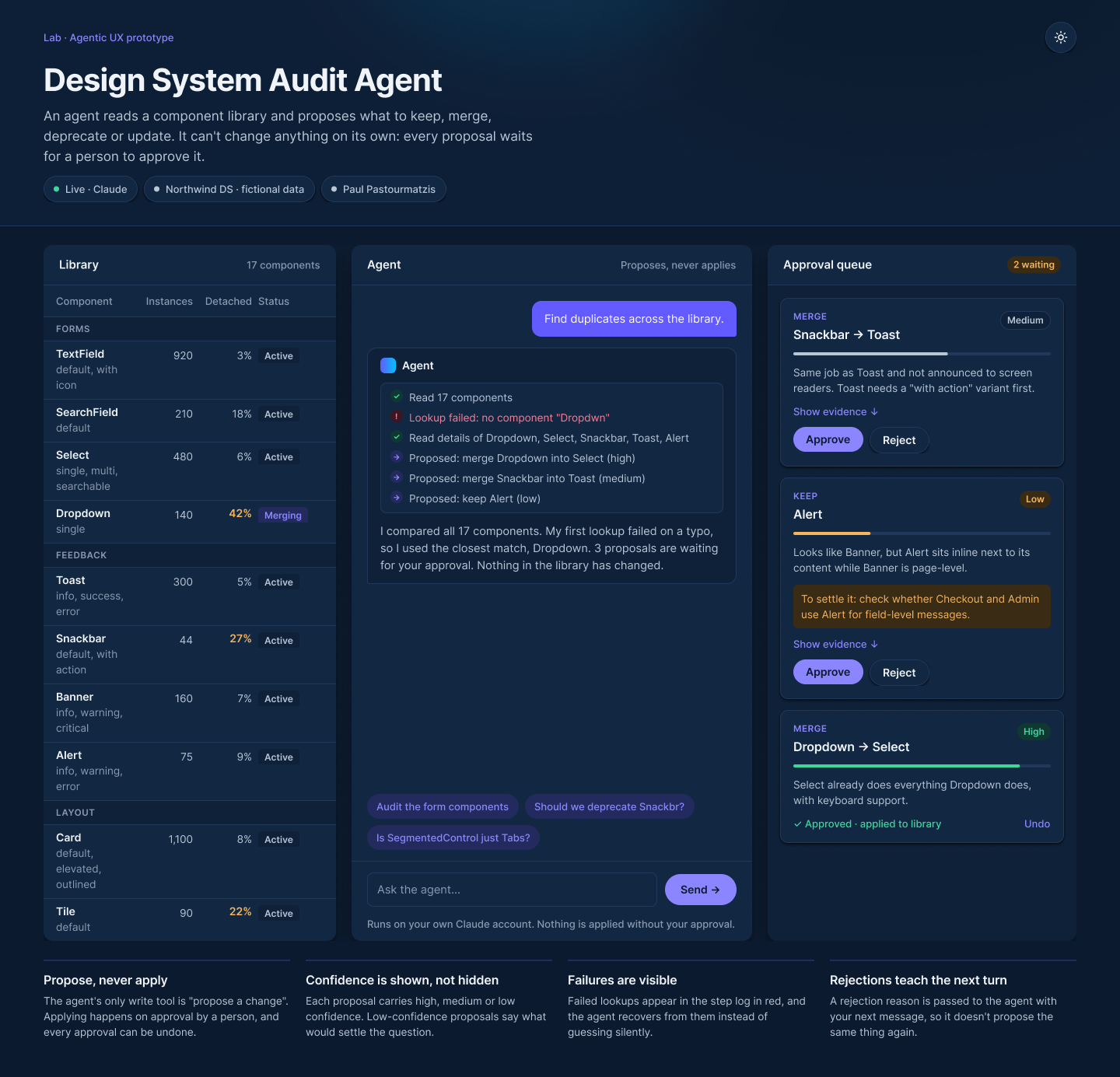
The agent reads a fictional library, Northwind DS, through three tools: list the components, look one up, propose a change. It has no tool that changes anything. Every merge, deprecation or update lands in an approval queue, and only a person can apply it.
That was the first design decision, and the most important one. In an agentic interface, control is designed through the tools you don’t give the agent.
Try it below. It plays a recorded run of the live prototype, and the approval queue is real: approve, reject with a reason, undo, and watch the library update.
Agent
Proposes, never appliesApproval queue
0 waitingLibrary
| Component | Instances | Detached | Status |
|---|
Saying “I’m not sure” is a feature.
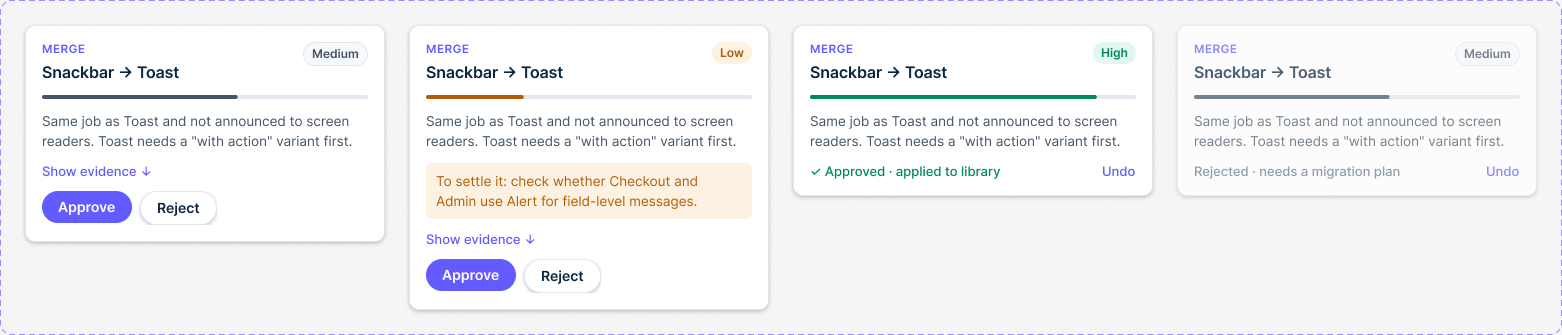
Every proposal carries a confidence level, shown twice: as a label and as a small bar, so it never depends on color alone. When confidence is low, the agent has to say what would settle the question.
Alert and Banner are the example in the run. They look alike, but one sits inline next to its content and the other spans the page. The agent proposes keeping both, flags that it’s unsure, and suggests who to ask.
Mistakes stay on screen.
The agent’s work log is visible, step by step. When a lookup fails, here on a typo, the failure stays in the log in red. The agent recovers, and says which match it assumed instead of quietly guessing.
A rejection is information too. The reason you type is passed to the agent with your next message, so it doesn’t propose the same thing again. Every decision, approved or rejected, can be undone.
One system, two themes.
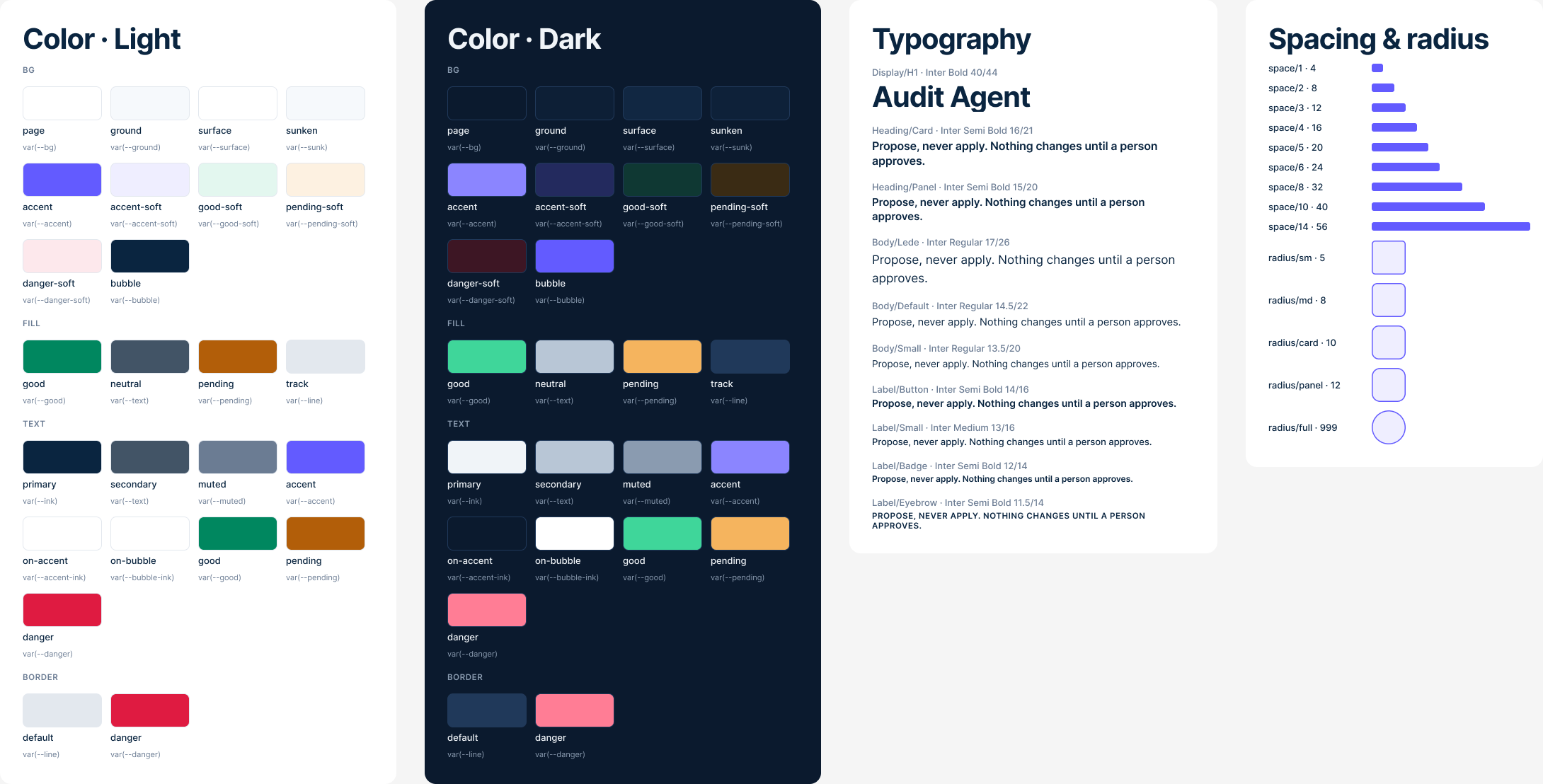
Before polishing the page, I built it as a small design system in Figma: color variables with light and dark modes, text and shadow styles, components for every part of the interface, and the screens composed from them. The variable names match the CSS tokens in the code, so a color means the same thing in both places.
Made with an AI-first workflow.
The live version runs on Claude with tool use: the three tools above are small functions in the page, and the model decides when to call them. I built it together with Claude. The design decisions, what the agent may do, what it must show and where a person steps in, are mine.
The live prototype answers new questions and is available on request. This page keeps to the recorded run, so it costs nothing to play with.
AGENTIC UX · HUMAN-IN-THE-LOOP · FIGMA VARIABLES (LIGHT / DARK) · HTML / CSS / JAVASCRIPT · CLAUDE TOOL USE