B2B SOFTWARE · PRODUCT DESIGN · 2026 · CONCEPT
AQUA explores how pool operators can keep checks, findings and unfinished work visible across every shift.
SURFACE
Responsive operational interface
Desktop + mobile
Functional web demo
ROLE
Product direction + UX/UI
Workflows + visual system
AI-assisted prototyping
SCOPE
Checks + issue follow-up
Opening + shift handover
Configuration + interaction states
THE CHALLENGE
The idea for AQUA came from taking my daughter, Melina, to swimming lessons. Spending time at the pool made me curious about the work behind the experience: how water quality is checked, how problems are followed up and how responsibility carries across shifts.
I discussed those questions with the facility’s owners, who are friends of mine. Those informal conversations gave the project a real starting point and helped frame the questions I wanted to explore. They were early domain input, rather than a structured interview study.
Pool operations continue across checks, incidents and changing shifts. A useful interface needs to answer more than whether a reading is within a limit: what needs attention, who is responsible and what must happen next?
AQUA is an independent concept built around a fictional facility with three pools. It explores an operational model using manual records, synthetic staff, readings and schedules. Its configuration values are demo fixtures, not guidance for running a real facility.
RESEARCH → PRODUCT DEFINITION
The operational exploration was grounded in official reference material. The Greek reference provided regulatory context; the CDC code offered a supplementary operational perspective.
- Greek Ministry of Health ~ Public swimming pool operation and inspection circular ↗ — issued on 13 June 2024 and published on 14 June. It refers to Health Regulation Γ1/443/1973, as amended, and informed the exploration of water quality, disinfection, filtration and operational checks.
- CDC ~ 2024 Model Aquatic Health Code, 5th edition ↗ — consulted as supplementary US guidance, not Greek legislation.
These references informed the questions and workflows explored in the concept. The demo uses configurable, synthetic limits and schedules; it is not a direct implementation of the Greek circular.
I began by mapping the decisions around water checks, opening, corrective action and handover. Research exploration and reference review helped shape initial hypotheses; those hypotheses were translated into workflows that could be examined in Figma and then exercised in code.
From research inputs to product decisions
| Research input | Product implication | |
|---|---|---|
| 📄 | Official operational references Water quality, inspections and operating procedures. | Structure workflows around recorded checks, findings and explicit operating decisions. |
| 🗨️ | Informal conversations with the facility owners Questions about daily checks and responsibility. | Keep the relevant pool, responsible person and next action visible together. |
| 🔄️ | Exploration of shift continuity Work can remain unfinished when operators change. | Carry pending work into handover without resetting deadlines or issue ownership. |
| 👆 | Testing scenarios in the functional demo Closure, reporting and reopening can happen at different times. | Separate immediate closure from incident documentation and make reopening an explicit decision. |
These inputs shaped the initial product model. The demo tests its internal consistency; structured operator research and usability testing remain next steps.
PRODUCT DIRECTION
Keep unfinished work visible
The working principle was to make the current state, the responsible person and the next action visible together. A reading, an issue and a pool’s operating status each represent a different decision.
Make consequential changes explicit
Recording a passing check does not itself open a pool. Resolving an issue does not automatically restore operation. Each transition needs a separate review and confirmation.
Carry context across shifts
A handover should transfer pending work and its context without silently resetting deadlines or changing the person responsible for an issue.
PRODUCT DECISION 1/3 · OPERATIONAL AWARENESS
Bring attention and context into one view
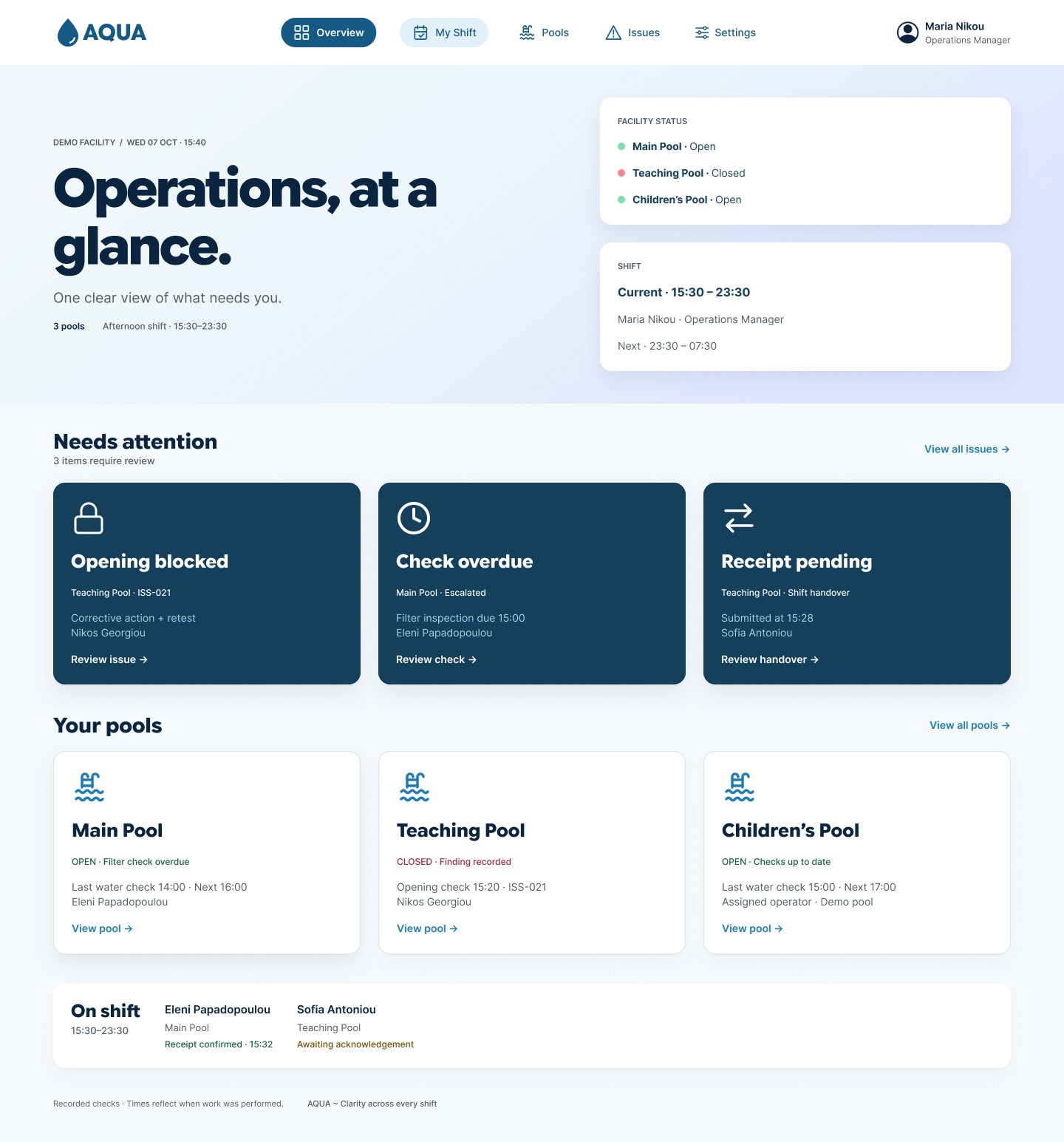
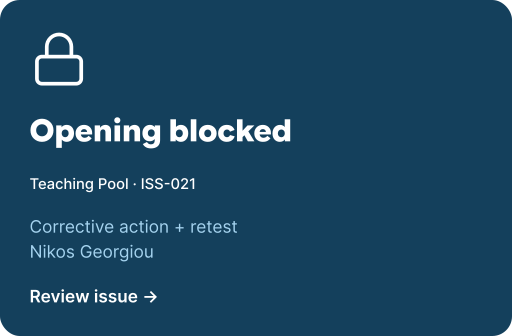
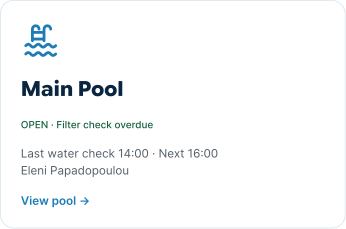
The overview groups overdue checks, blocked opening and pending handovers alongside each pool’s current state. Supporting details name the relevant pool, responsible person and next step, so an operator can move from awareness to action without reconstructing the situation across separate screens.
A prominent Operating status panel lets the assigned operator or manager close the pool immediately, before reporting the incident or recording measurements. In the demo, an unresolved blocking issue keeps the pool closed; a follow-up-only issue remains visible without forcing closure. Reopening requires documented closure details, resolved blocking work, a passing water-quality record and an explicit manager decision. Resolving an issue does not automatically reopen the pool.


PRODUCT DECISION 2/3 · RECORDS & RESPONSIBILITY
Preserve evidence through the follow-up
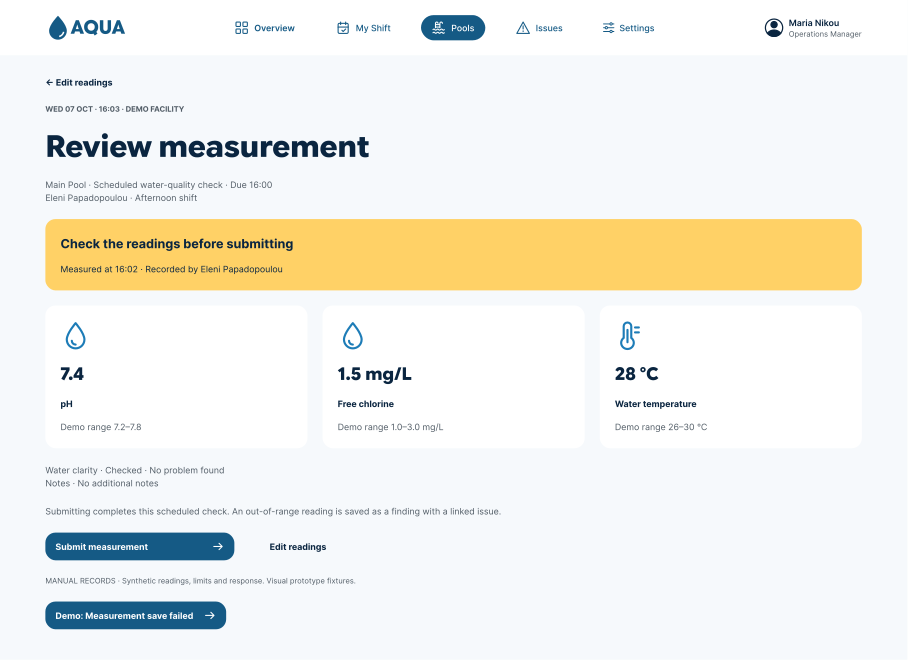
Measurement entry leads to review before submission. Missing or invalid values require correction, while an out-of-range reading remains a valid record that can create a finding. This separates input quality from the operational meaning of a reading.
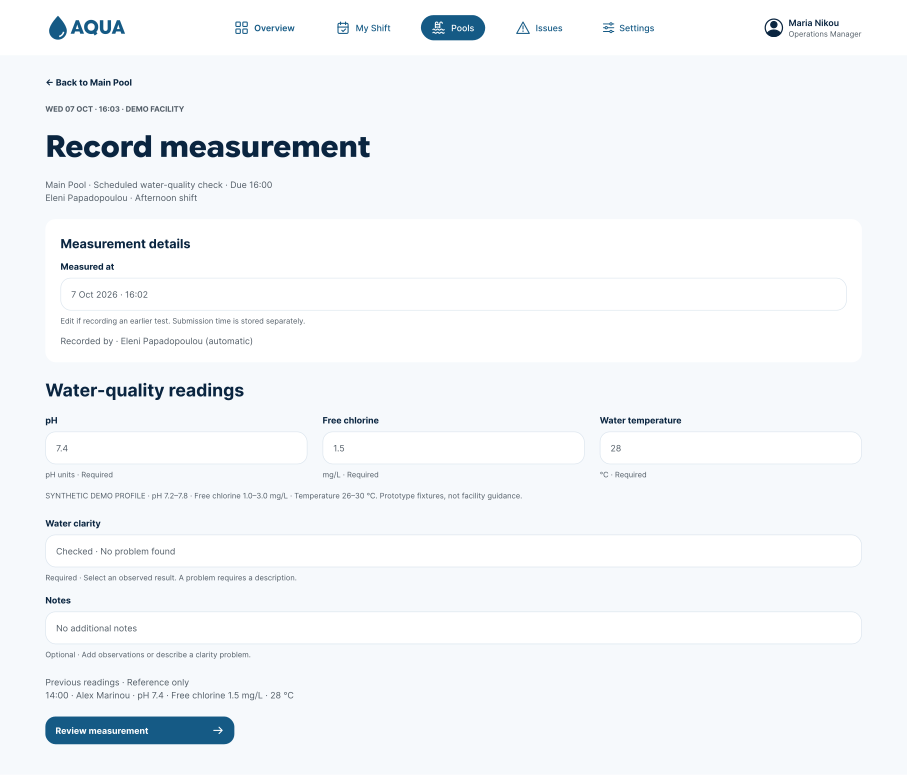
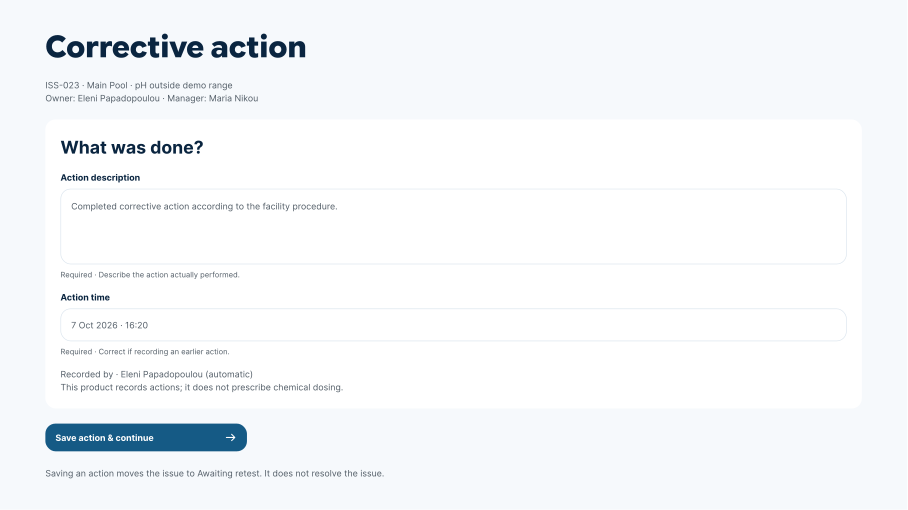
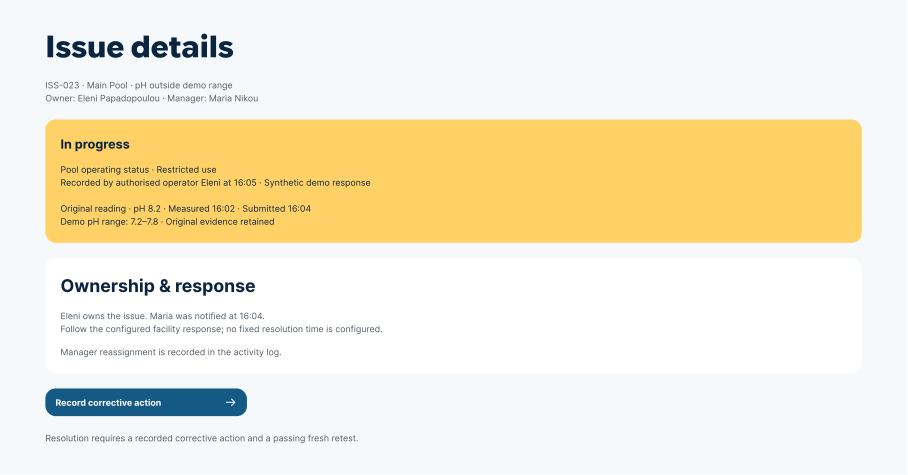
An issue retains its original evidence as corrective actions and retests are added. The owner and next step remain visible through follow-up, and issue resolution is separate from restoring operation. The record explains what happened without silently rewriting the initial finding.
PRODUCT DECISION 3/3 · SHIFT CONTINUITY
A new shift should inherit the work
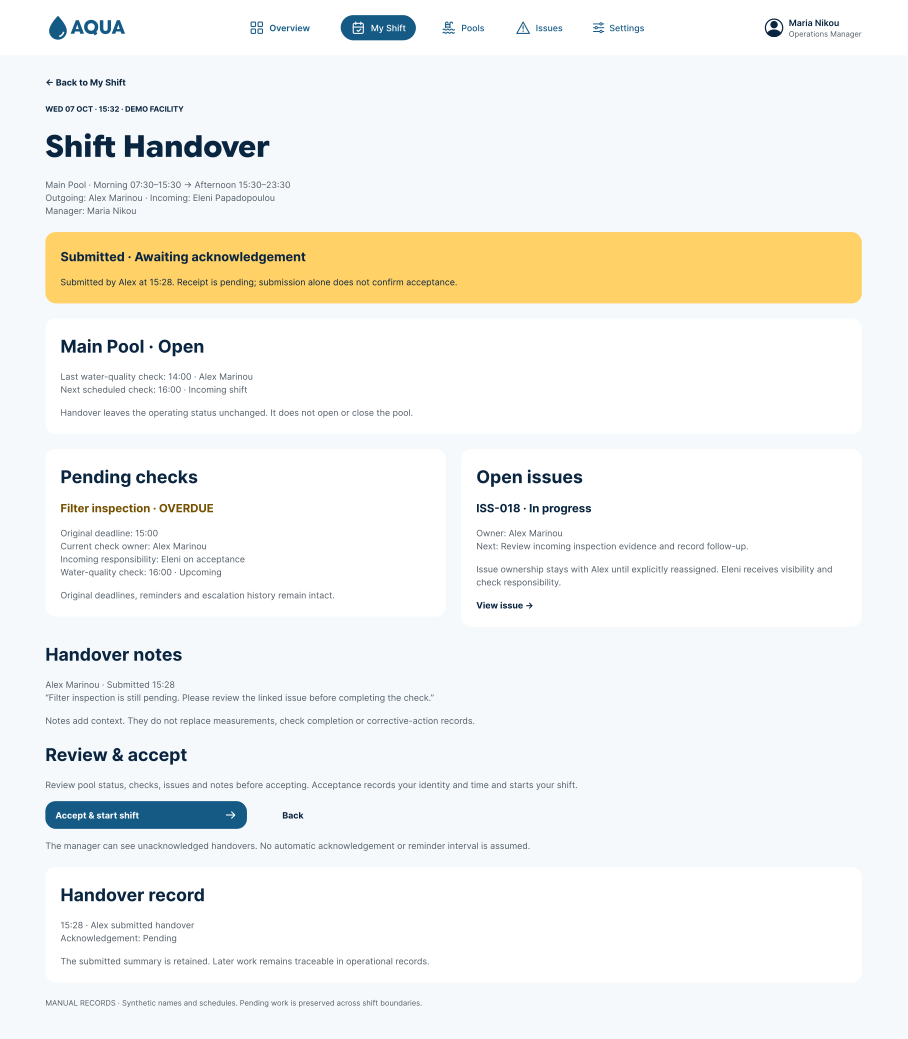
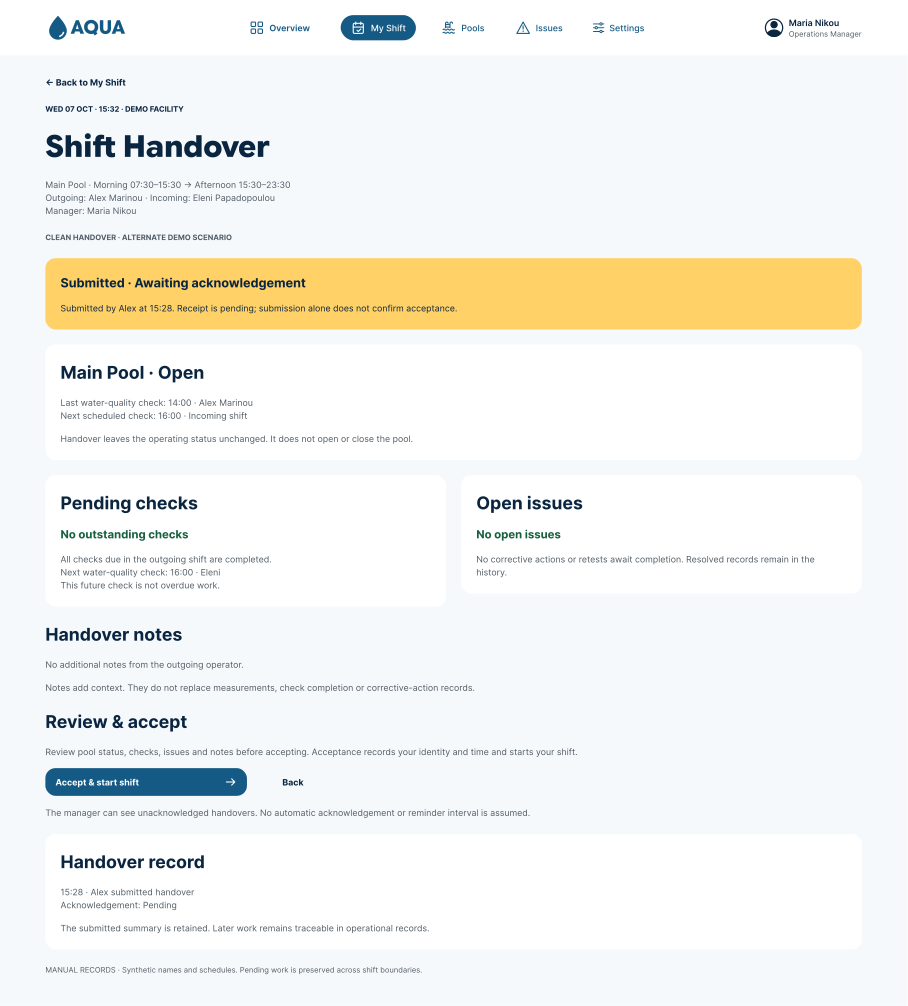
The handover presents pending work before the receiving operator accepts the shift. A clean handover uses the same structure, making the difference explicit rather than removing context. Submission and acceptance are separate states; unfinished work keeps its deadlines and issue ownership.
Making operational information easier to scan
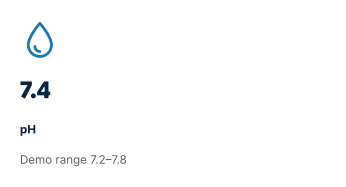
The interface combines a light background with deep blue operational cards, bold typography and clear status labels. This creates a consistent hierarchy between the overall view, the information that needs attention and the actions available to each operator.
Reusable icons give cards a recognisable visual anchor. Pools, overdue checks, blocked opening and pending handovers can be distinguished before reading their supporting details. Colour reinforces their status, while text explains what requires attention.
Navigation retains the same sections and order across devices. On desktop, it sits within the header; on mobile, it moves to the bottom of the screen. Paired actions adapt to the available space, with a full-width primary action and a quieter secondary action underneath on mobile.
The light background also prompted a review of text and button colours. Contextual colour tokens preserve readable text across light surfaces, blue cards and notification panels.






PROTOTYPE · from screens to operational behaviour
The functional web demo allows manual entry and exercises the proposed transitions: record and review a measurement, follow up a finding, receive a handover and review an operating change. It uses synthetic data to make those interactions inspectable.
Code checks cover validation, issue lifecycle, opening gates, handover and scheduled configuration changes. Reviewing the demo on mobile also exposed interaction details such as navigation focus states. These checks support functional consistency; they do not establish usability or readiness for a live facility.
OUTCOME · FUNCTIONAL CONCEPT
ONE OPERATIONAL VIEW
Pool status, attention items and shift context organised around the work that needs action.
EXPLICIT TRANSITIONS
Review and confirmation separate records, issue resolution and operating decisions.
CONTINUITY ACROSS SHIFTS
Pending work carries forward with its evidence, ownership and deadlines.
REFLECTION
The most useful shift in the project was treating each screen as part of an operational model. A passing reading, a resolved issue and an open pool may appear closely related, but collapsing them into one automatic transition would hide decisions that should remain explicit.
Design ownership and AI-assisted implementation
I defined the product direction, reviewed the operational assumptions and shaped the workflows, visual system and interaction hierarchy. AI supported research exploration, repetitive Figma updates and implementation of the functional demo.
Working between Figma and code made inconsistencies visible and allowed me to refine the design through concrete interactions. I reviewed and directed those changes throughout, including navigation states, contextual icons, action priority and the transition to a light interface.
The next step is to test the critical scenarios with real operators and review the model against a specific facility’s procedures. That would help establish which decisions are useful, which require different permissions and where the interface needs to adapt.
Independent concept project. Synthetic facility data. No production deployment or completed operator usability study is claimed.